

Let AI run your servers, without the keys.
Let any AI agent that speaks MCP run your own servers, without handing it SSH keys or a cloud token. It can only deploy what your catalog allows, as you, after a confirm step.
Agent for Linux amd64 and arm64 · Open source
From your AI agent to your servers
See it in action
- You:
Deploy my-website to my-raspberry-pi.
- AI agent:
Deploybot's plan:
will deploy my-website (nginx:alpine) on my-raspberry-pi
Deploy it?
- You:
Yes.
- AI agent:
Deployed and healthy.
succeeded · sha256:785835ea65db · running, 0 restarts
"GET / HTTP/1.1" 200
- You:
Open a root shell on my-raspberry-pi.
- AI agent:
Deploybot refused: that isn't in your catalog.
not_found: not found
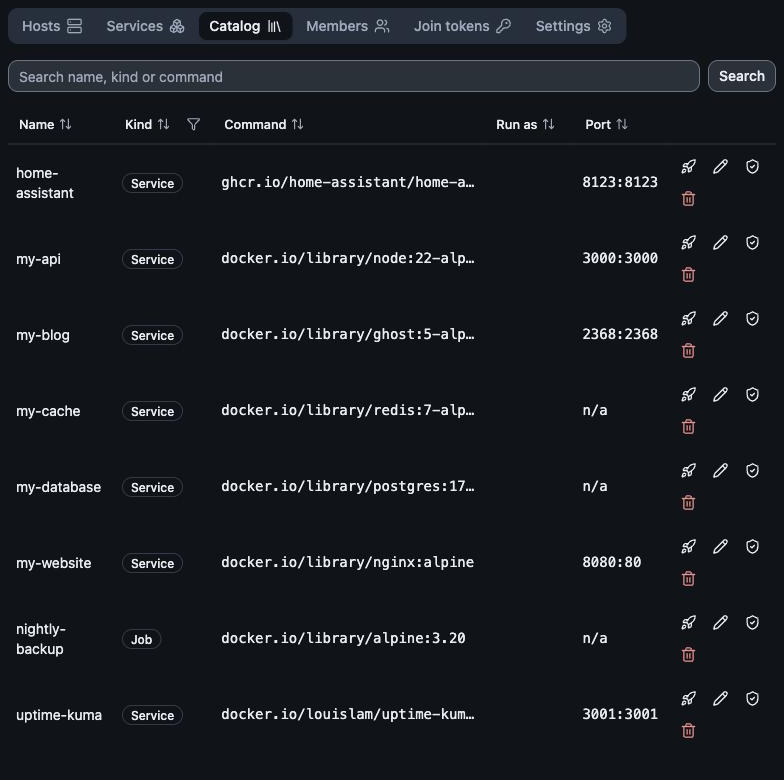
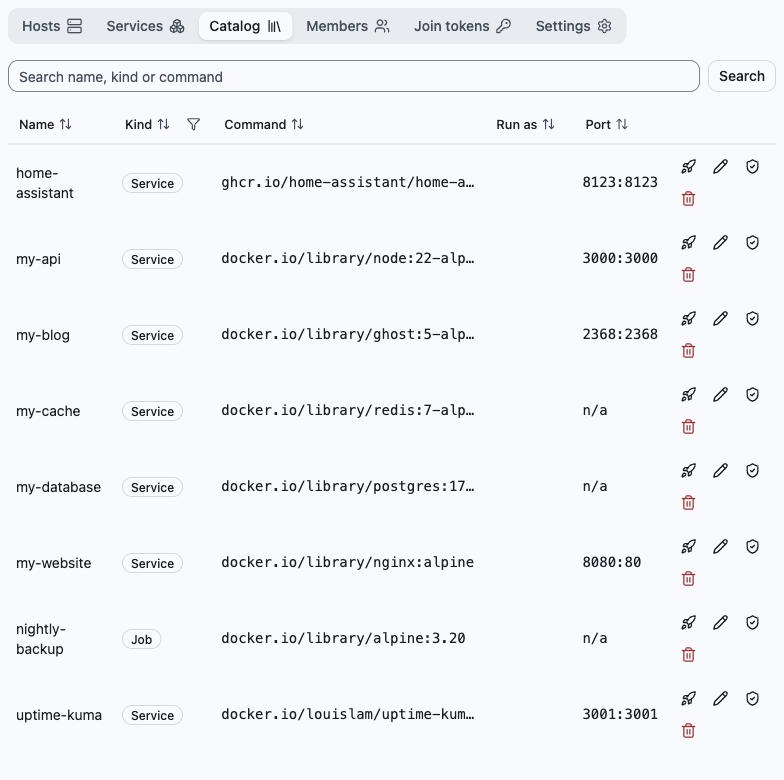
Three ways to let AI run your servers
| Aspect | AI in a terminal (SSH) | AI with your cloud tokens | Deploybot |
|---|---|---|---|
| What the AI can do | Any shell command | Anything the token allows | Only your catalog |
| Safeguard | Approving each command | Hoping the agent behaves | Limited by design, acts as you, confirm step |
| Ports and keys | SSH open, keys on a laptop | Long-lived token in a file | Hosts dial out, no keys for the AI |
| When nobody is watching | Nothing runs | Nothing runs | Health checks; a failed deploy rolls back |
| Best for | Debugging one box | Throwaway projects | Running production, teams |
AI in a terminal (SSH)
- What the AI can do
- Any shell command
- Safeguard
- Approving each command
- Ports and keys
- SSH open, keys on a laptop
- When nobody is watching
- Nothing runs
- Best for
- Debugging one box
AI with your cloud tokens
- What the AI can do
- Anything the token allows
- Safeguard
- Hoping the agent behaves
- Ports and keys
- Long-lived token in a file
- When nobody is watching
- Nothing runs
- Best for
- Throwaway projects
Deploybot
- What the AI can do
- Only your catalog
- Safeguard
- Limited by design, acts as you, confirm step
- Ports and keys
- Hosts dial out, no keys for the AI
- When nobody is watching
- Health checks; a failed deploy rolls back
- Best for
- Running production, teams
What you get
Security
On top of acting as you, catalog only and the confirm step:
- Each host's own allowlist of images and projects
- Secrets encrypted at rest (env sets, files and registry logins)
- Changes recorded in an audit log
Resilience
Deploys wait for health, and you can go back in one step.
- Deploys wait for health: Docker or HTTP/TCP checks
- An unhealthy deploy rolls back automatically
- One-step rollback to an earlier image digest
- A health failure policy per service
- Programs run as systemd units and survive reboot
Visibility
See what runs on each host and how it is doing.
- Host metrics with history
- Running processes and discovered services
- Health check history for each service
- Container logs with secrets redacted
- Container logs capped at 10 MB × 3
Teams
Share projects and hosts with the right level of access.
- Owner, admin and viewer roles per project
- Invite links that expire (single-use by default)
- Per-entry rights to run, stop, restart or deploy
- Share a host with other projects (metrics or deploy)
- One-time join tokens for adding hosts (admins)
What the AI can and can't do
Can
Deploy, roll back, run, stop and restart catalog entries; read logs, status and metrics; add or change image catalog entries and their health checks. Every change shows a plan first and waits for your confirm, within your role and per-entry rights.
Can't
Open a shell, see secret values, edit hosts, or act beyond your role.
How it works
Three steps from a new host to a running service.
Step 1
Enrol a host
Install the agent and join the host to a project.
Step 2
Add a catalog entry
Describe the program or container you want to run.
Step 3
Deploy and watch
Deploy it to your hosts and view its health and logs.
Open source
Use Deploybot hosted, or run all of it yourself from these four repos.
| Component | What it does | Built with | Licence |
|---|---|---|---|
| bot-agent (opens in a new tab) | Runs on each host, dials out, deploys and reports | Built with: Go, one static binary; Linux (amd64/arm64) with systemd; Docker only for container entries | Licence: Apache-2.0 |
| bot-api-server (opens in a new tab) | Google sign-in, projects and roles, catalog, audit log, OAuth for MCP clients | Built with: Go, PostgreSQL with TimescaleDB | Licence: AGPL-3.0-only |
| bot-mcp-server (opens in a new tab) | Standard MCP endpoint for AI agents | Built with: Go, MCP over Streamable HTTP | Licence: AGPL-3.0-only |
| bot-console (opens in a new tab) | The web console | Built with: SvelteKit (Node.js) | Licence: AGPL-3.0-only |
To self-host you need a Linux server, PostgreSQL 18 with TimescaleDB, a Google OAuth client, a TLS reverse proxy (agents connect over wss://) and a secrets key file for encrypted values. Each repo's README has the steps.
Get started
Step 1
Sign in
Step 2
Step 3
Deploy your first catalog entry